Three repositories, one goal with a deadline: initiatives and products in a real case
A team with its API, website and app in separate repositories organises a goal that cuts across all three. How the projects are set up in Hilbana and what happens to each issue, from the product, from the initiative and from the agents.
Tutorial · Projects · Agents

Sooner or later, every team with more than one repository runs into the same question: where do I create this issue? Create it in the API project and whoever follows the goal can’t see it. Create it in the goal’s project and whoever maintains the API doesn’t have it on their board. And if it touches both, you create it twice and hope nobody closes one without the other.
That’s why we’ve added project kinds to Hilbana: initiatives and products. This article walks through a complete case, from setup to day-to-day work, with a screenshot of every step and a short video at the key moments.
The case: one team, three repositories
Acme builds booking software for clinics. It’s a small team: Lucy runs the product, two AI agents work on the code and an external studio maintains the website. The code lives in three repositories, each with its own pace:
- Bookings API (
acme/api), with its versions: v2.3 ships at the end of the month. - Public website (
acme/web), which is releasing v1.4. - Mobile app (
acme/app), on its way to v3.0.
Each repository has its usual work: updating dependencies, a footer that breaks in Safari, the app’s dark mode. That never ends.
This quarter there’s also a goal with a deadline: Online booking, so patients can book and pay for their appointment on the website and the app without calling the clinic. It has two phases and touches all three repositories. And a smaller one, Reminders: notices before the appointment so people don’t miss it.
What wasn’t working
With one project per repository, nobody could say how much was left on Online booking: its issues were spread across three boards. With an “Online booking” project, the API team didn’t see the payments endpoint on their board, and their v2.3 didn’t count it. Labels half-solved it, until someone forgot to add them.
And there were two new problems. The agent working on the website picked up the payment form before the endpoint it depends on existed. And for the web studio to see its issues, it had to be given access to the whole goal, API and app issues included.
The idea: work lives in the initiative and is delivered to the product
Hilbana tells two kinds of project apart:
- Initiative: a goal with a start and an end. Online booking, Reminders.
- Product: a repository (or a product) that never closes. The API, the website, the app.
Each issue lives in the initiative, where you decide what needs doing, and is delivered to the product where it’s built. You follow the goal from the initiative and what needs coding from the product. It’s a single issue and keeps its identifier, so branches and PRs link exactly as before.
If your team works with a single repository, you don’t need to do anything: a project with no kind works as it always has.
1. Give each project its kind
Right-click a project in the sidebar and its menu has Project kind: Initiative or Product.
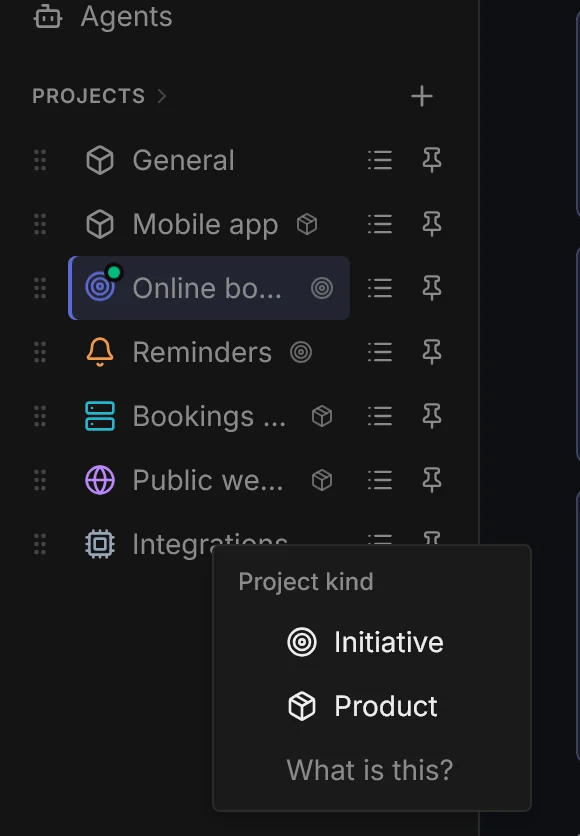
Before applying it, Hilbana warns you that the kind is final: it can’t be changed or removed. That’s because deliveries depend on it; a product that stopped being one would leave the issues delivered to it with nowhere to go. Before choosing, ask yourself whether that project is a goal that will end or a repository that will still be there.
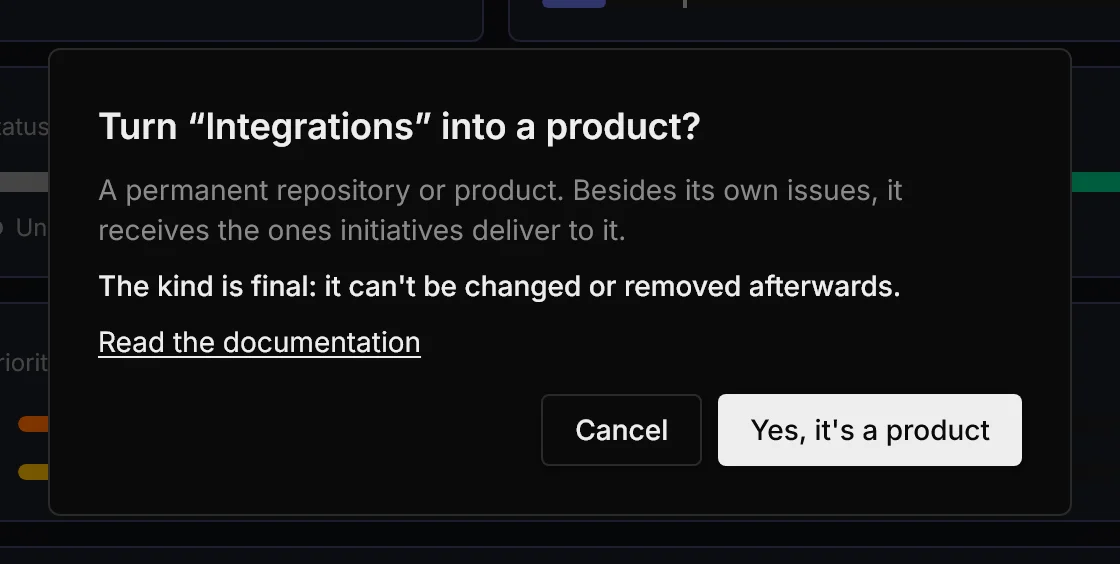
Acme marks the API, the website and the app as products, and Online booking and Reminders as initiatives. In the sidebar, each initiative gets a target and each product, a box.
2. Declare each product’s repository
On each product’s page, the Repos row says which GitHub or Bitbucket repositories belong to it. The API declares acme/api, the website acme/web and the app acme/app. A repository can only belong to one product. You’ll see what it’s for further down.
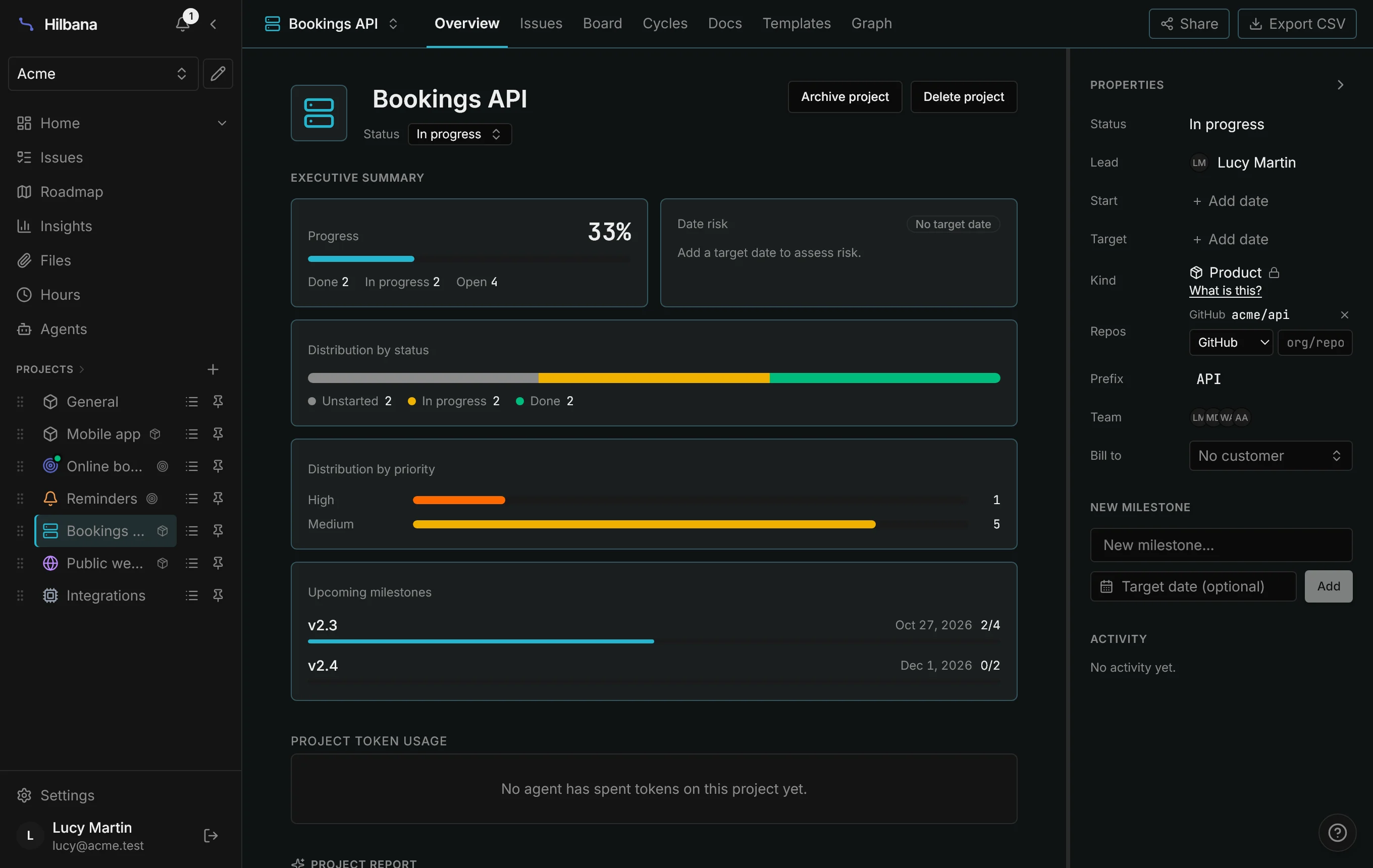
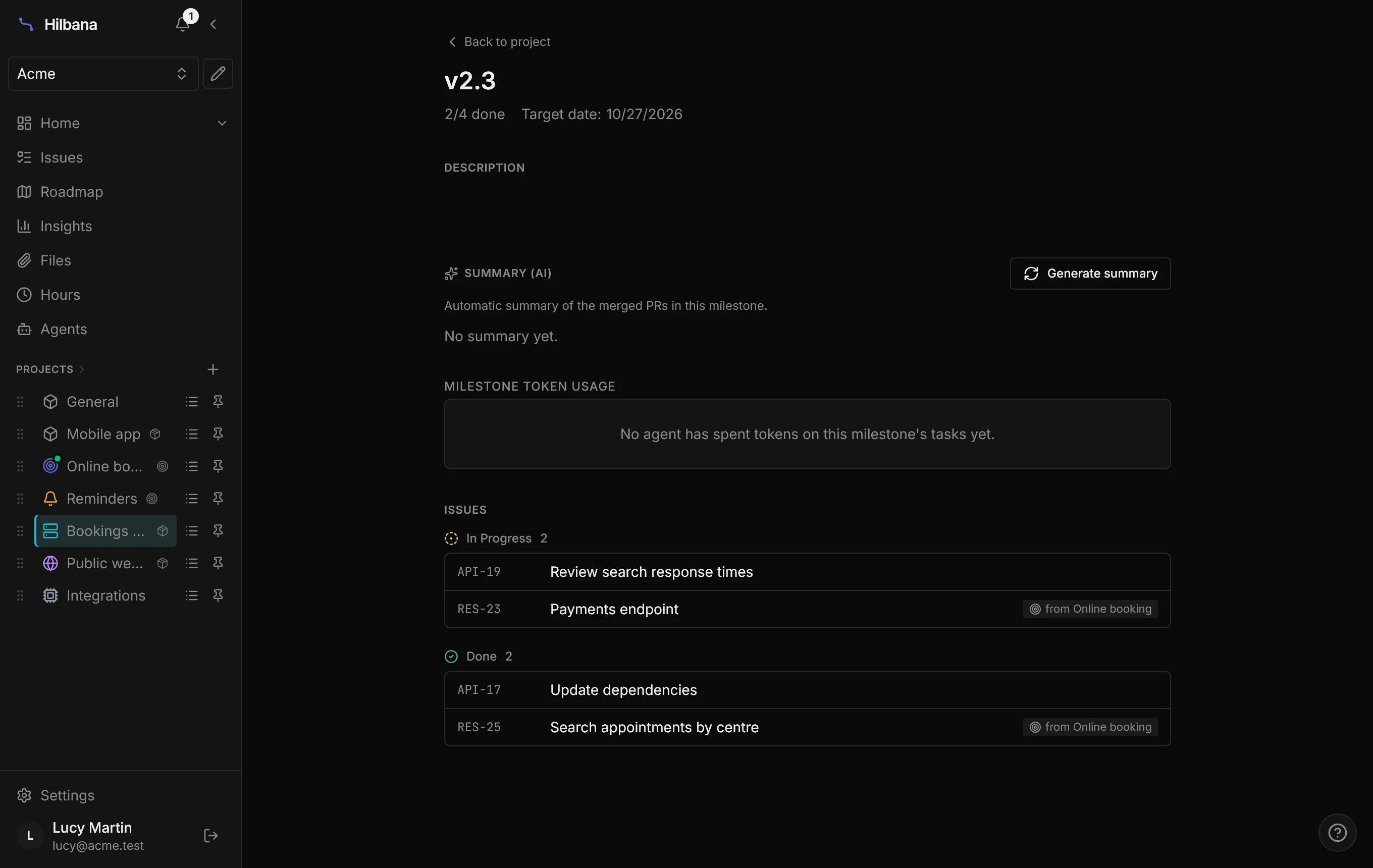
Look at the API’s milestones: v2.3 is at 2 of 4 issues. Two of them weren’t created in the API: they came from Online booking.
3. Deliver each issue to its product
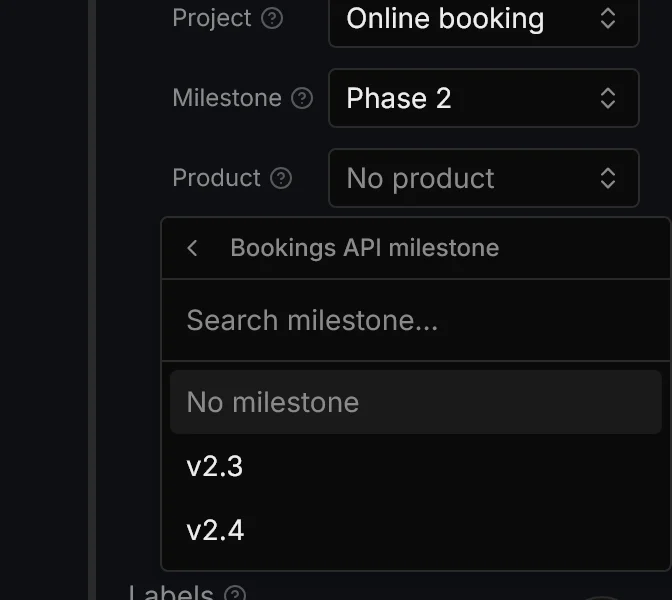
An issue in an initiative gets a Product field, chosen in two steps. First, the product where it’s built:
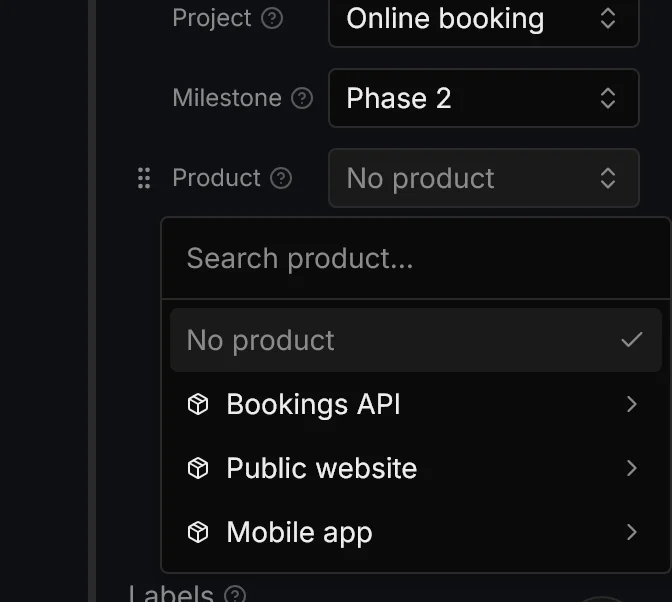
Then, if that product has milestones, which one it goes into. They’re the product’s milestones, not the initiative’s:
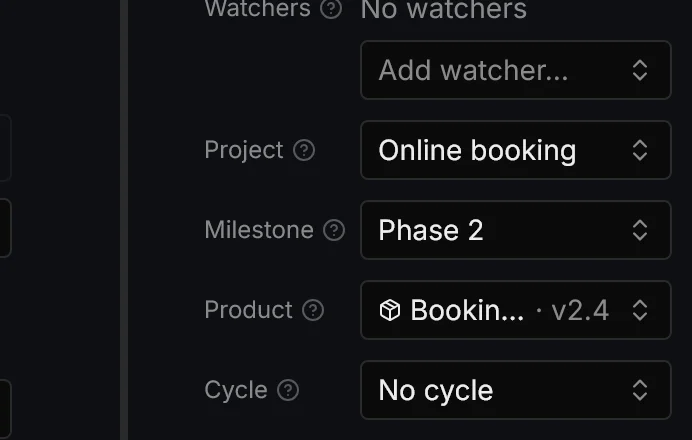
The field shows both together. The issue stays in its initiative phase (Phase 2) and, at the same time, in the product’s version (v2.4). It counts in both milestones.
If you already know where an issue goes when you create it, the quick-create form on the initiative’s list has its own product picker.
4. If it touches two repositories, split it
“Cancel a booking from the email” touches the API (the link and its token) and the website (the cancellation page). An issue is delivered to a single product, so this one gets split: the Split by repository button on its page asks which products it affects.
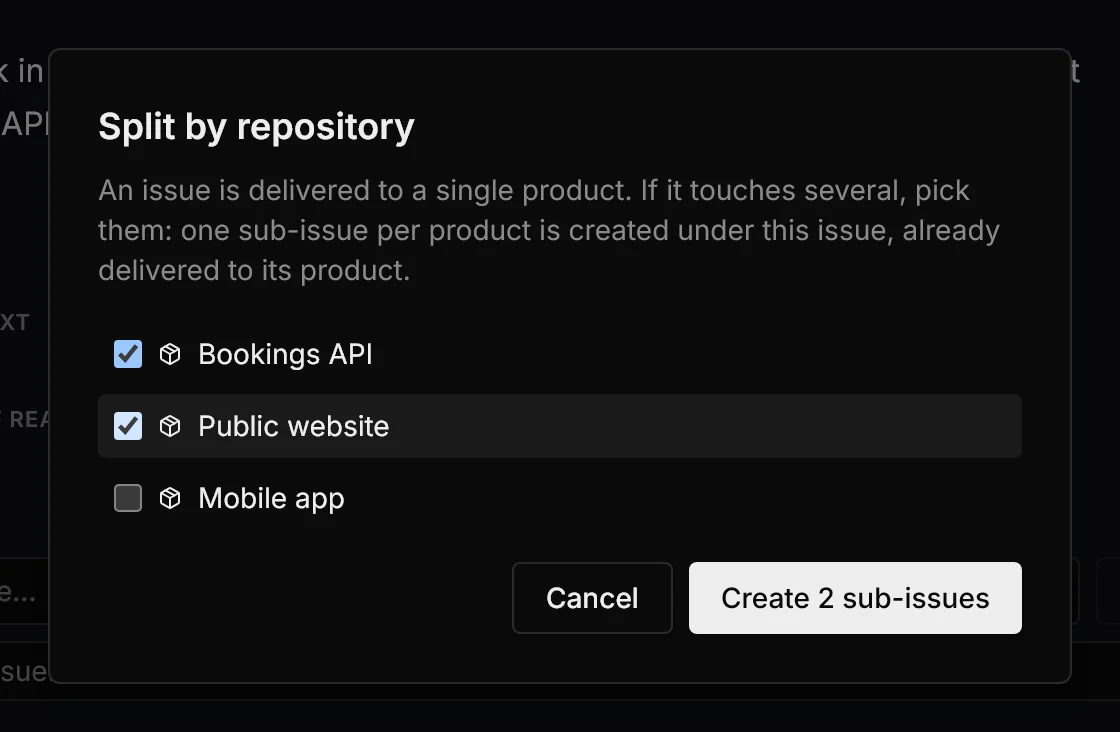
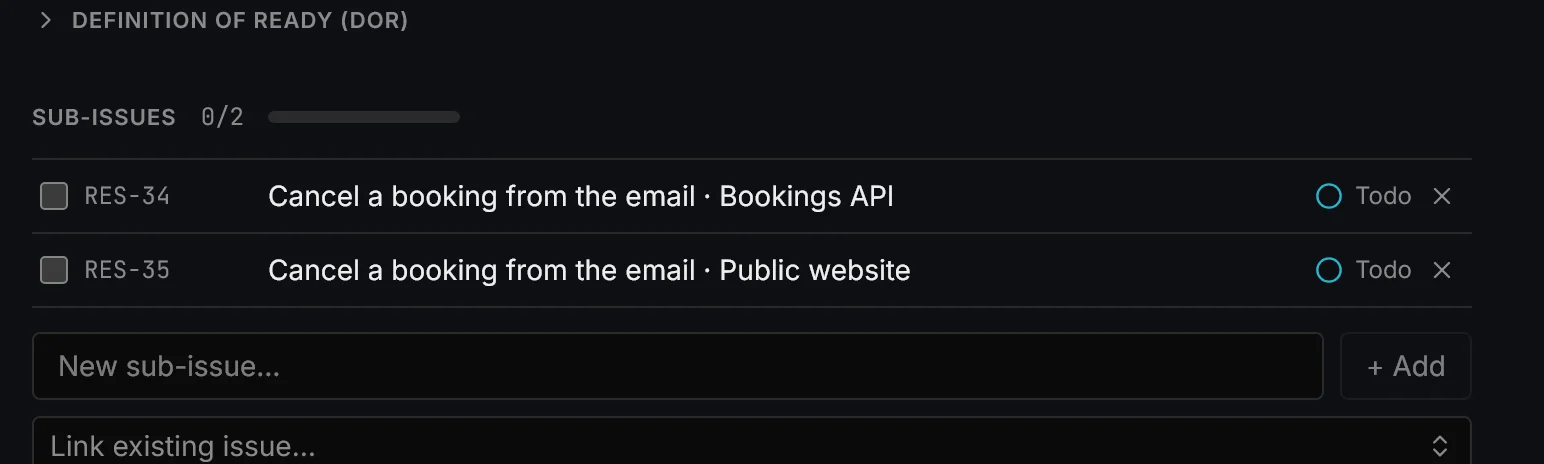
It creates one sub-issue per product, already delivered to it, under the original issue. The original stays in the initiative as the umbrella; each part is built by whoever owns that repository.
5. The product sees its own work and what it receives
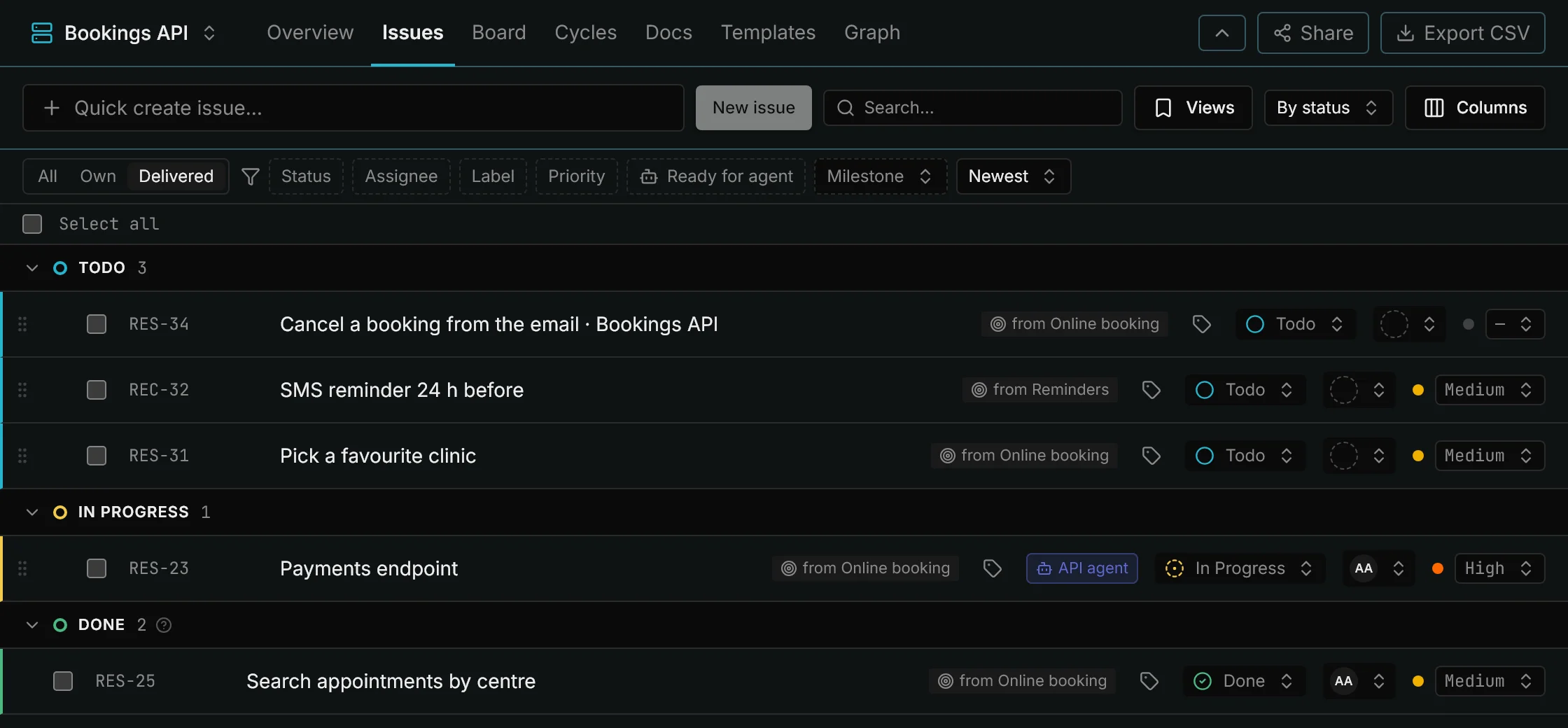
On the API board, its maintenance issues sit next to the ones delivered by initiatives. Those carry an origin tag, “from Online booking” or “from Reminders”, and keep their identifier (RES-23, REC-32).
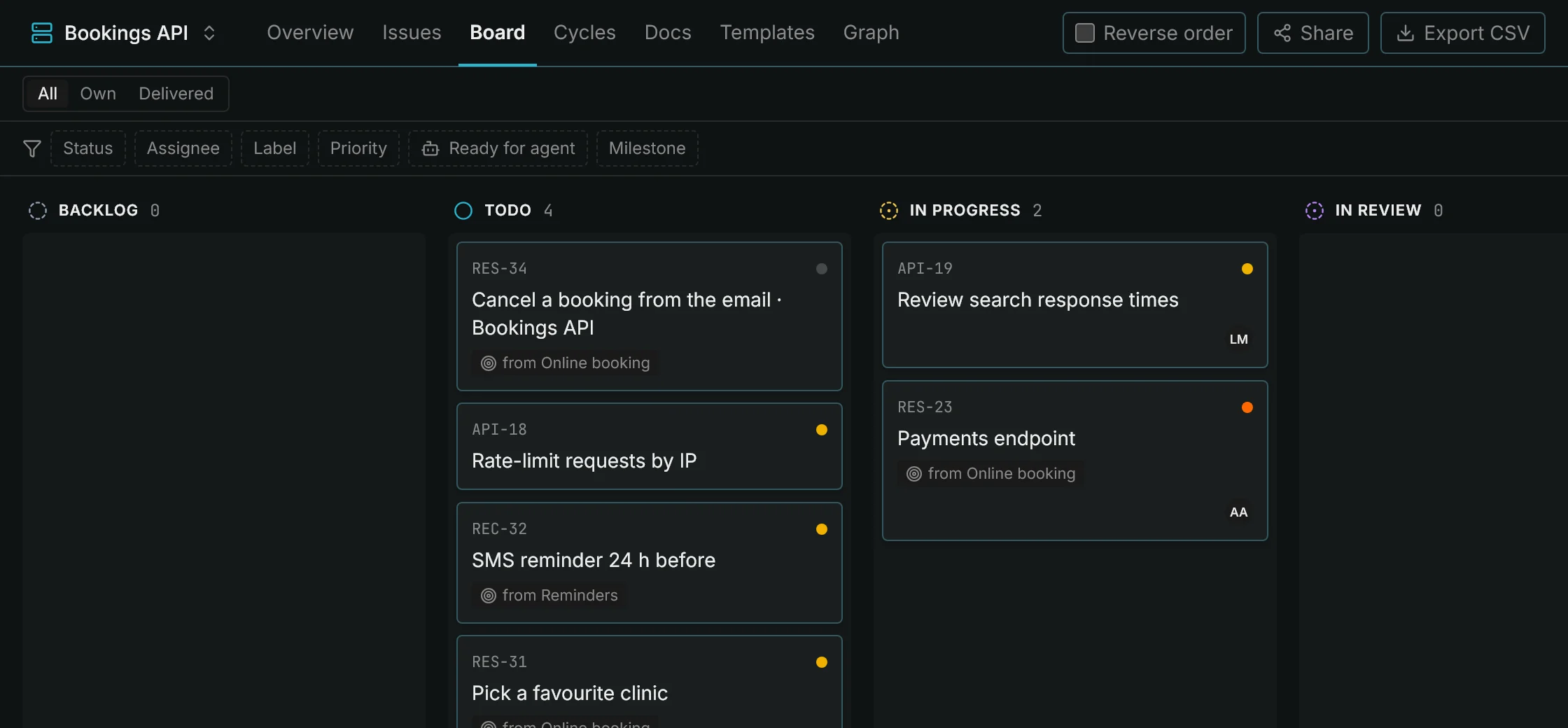
The All / Own / Delivered filter separates one from the other. With “Delivered”, the API sees at a glance everything the initiatives are asking of it:
And the product’s version counts both. The API’s v2.3 includes the dependency update (its own) and the payments endpoint (from Online booking). The version’s progress, token usage and AI summary are built from all of them.
6. Dependencies across repositories, for agents too
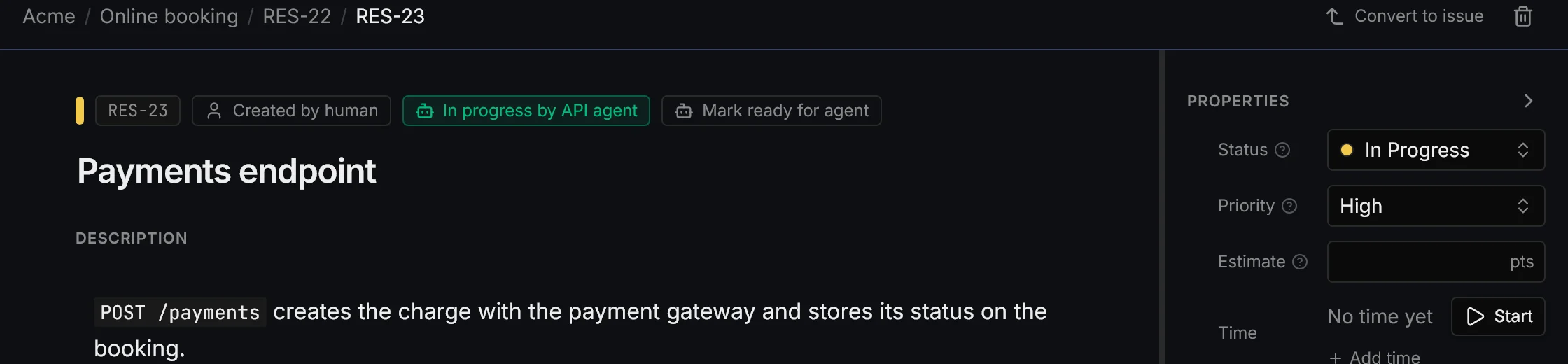
The payment form (website) needs the payments endpoint (API). In the initiative they’re linked with blocks: the website issue is “Blocked by RES-23”.
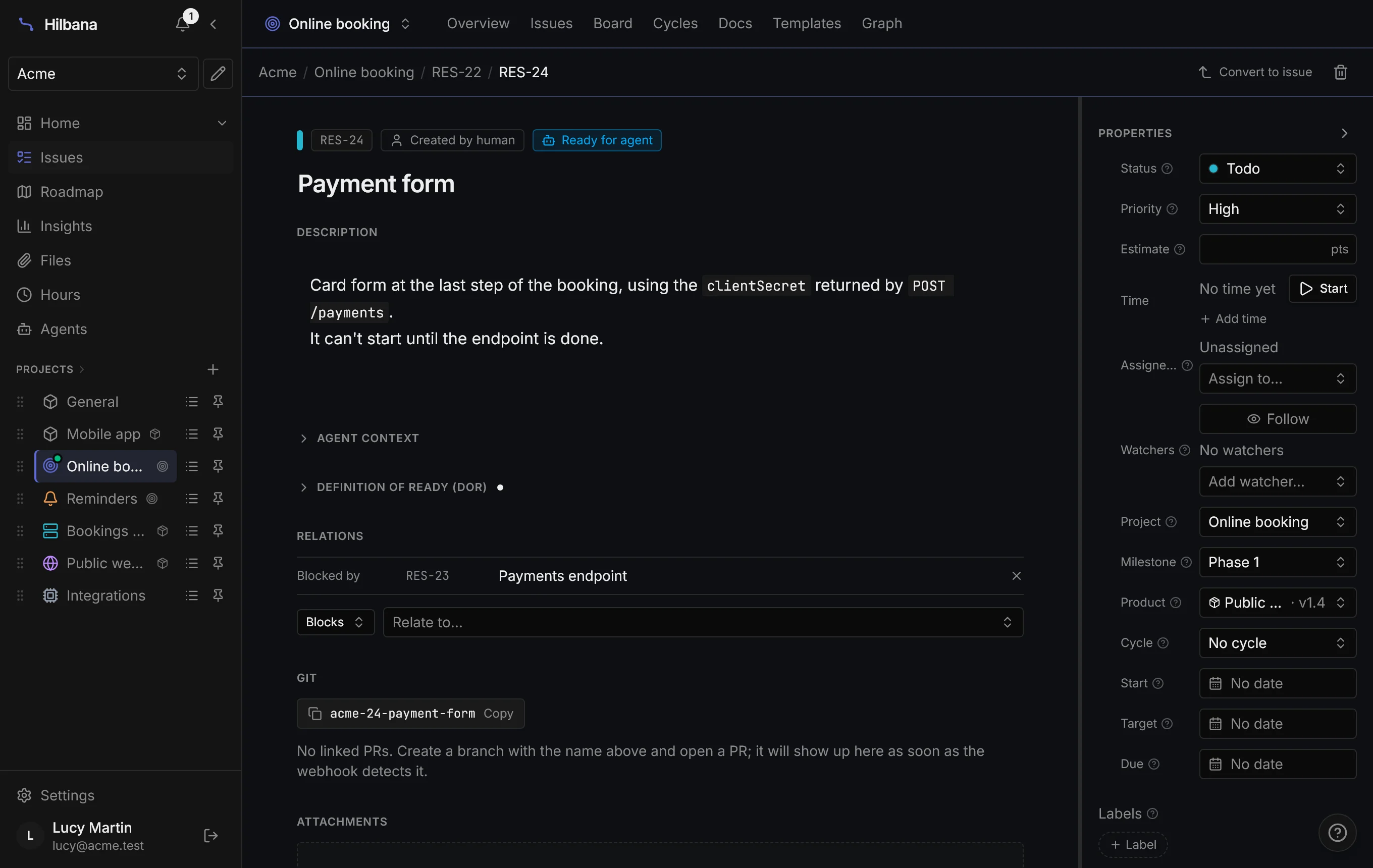
So far, nothing new for a person. The difference is with agents. The API agent is working on the endpoint:
The website agent asks the MCP for work in its product and the queue doesn’t hand it the form, even though it’s marked ready for agent. If it asks for it by name, Hilbana refuses and tells it why:
next_ready_issue { "projectId": "<Public website>" }
→ null

claim_issue { "id": "RES-24" }
→ 409: the issue is blocked by RES-23 (In Progress): it can't be
  claimed until they are done or canceled
As soon as the API agent moves the endpoint to Done, the form enters the website’s queue. Nobody has to tell anyone.
7. The external studio only sees the website
Mark works at a design studio that maintains the website. In Hilbana he’s a guest with access to a single project: Public website. There’s nothing else in his sidebar.
Even so, the website’s list shows him the issues Online booking has delivered to it:
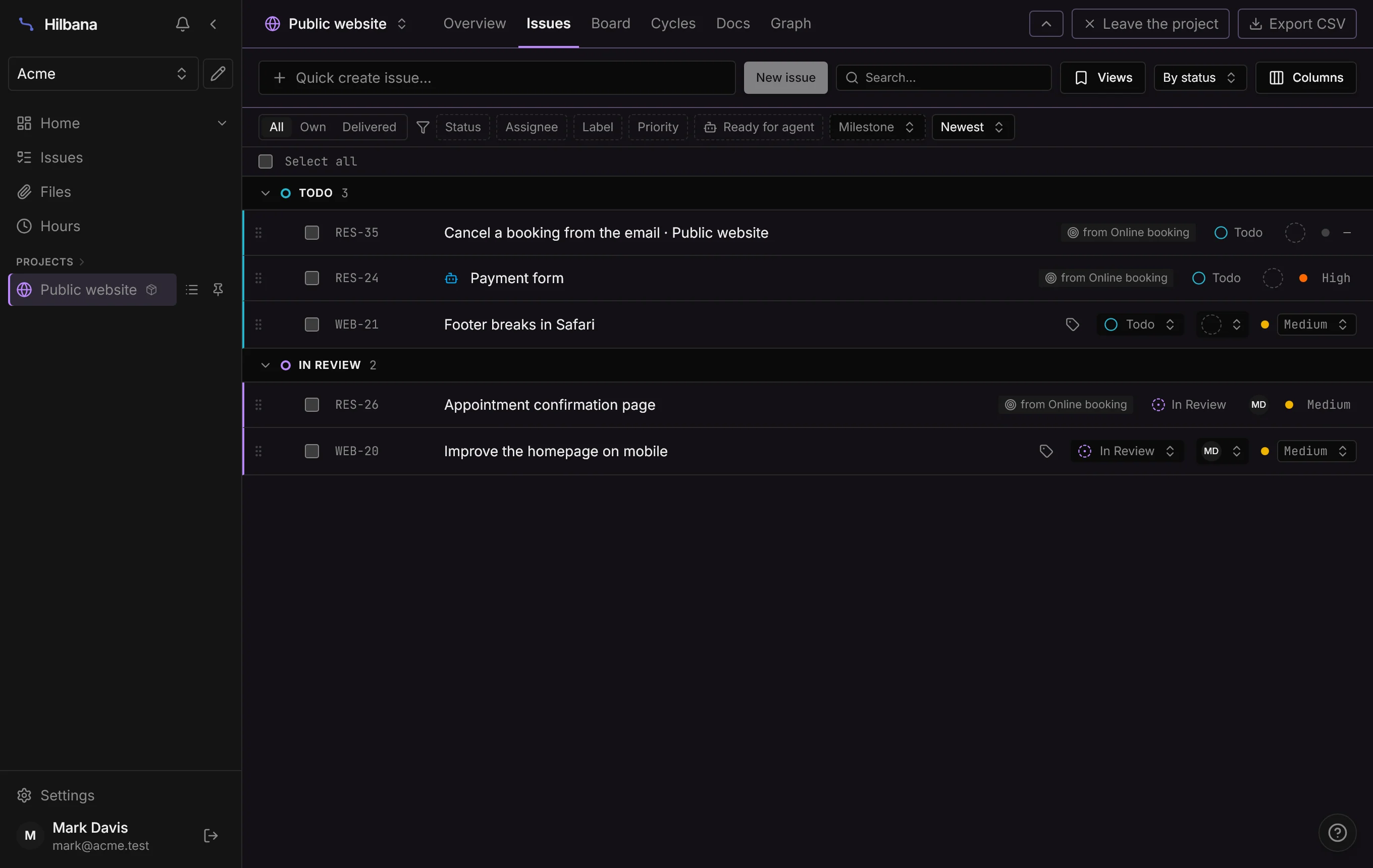
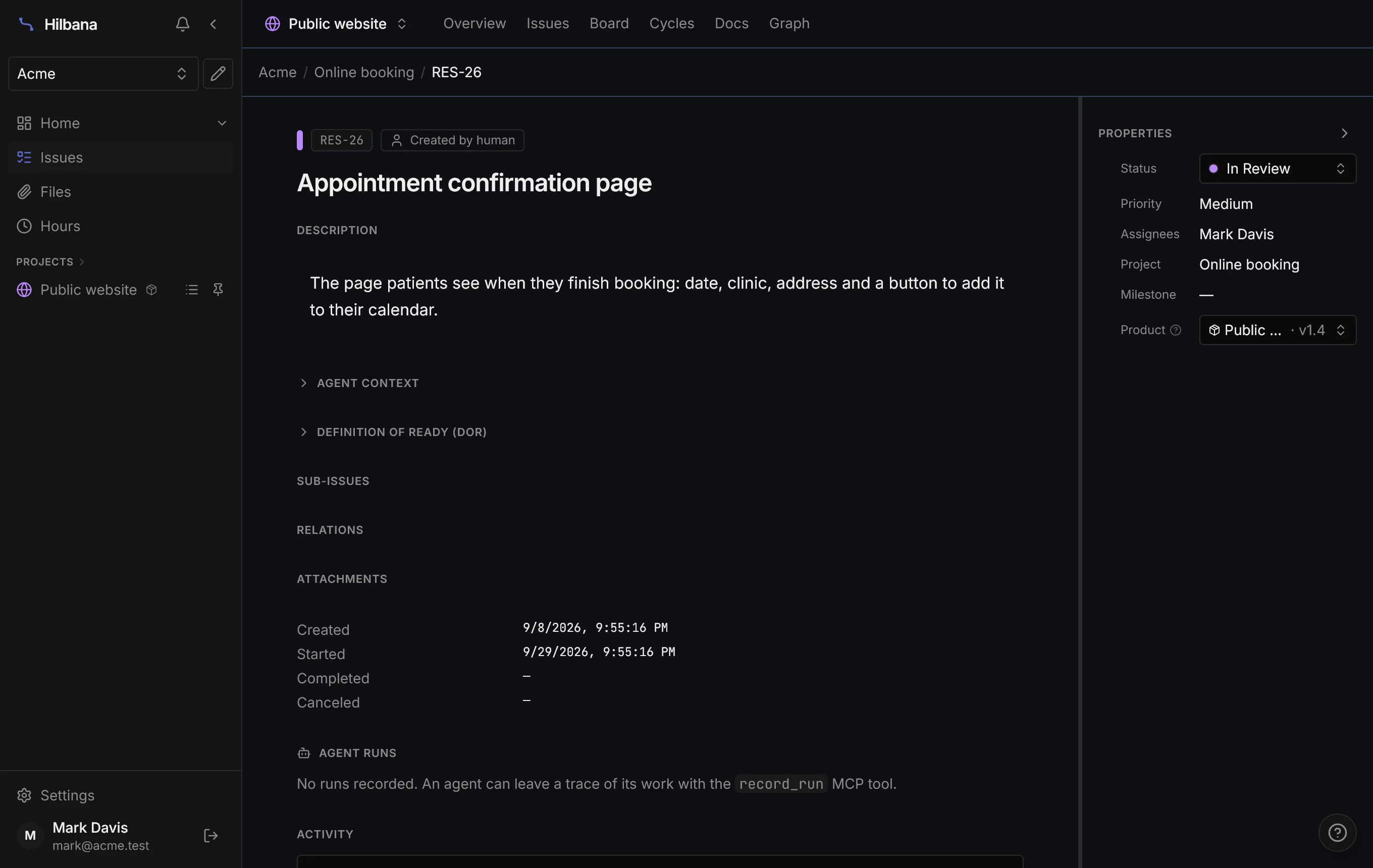
He sees those issues, not the whole initiative. On the issue page, Online booking appears by name, without a link, and the initiative’s milestone isn’t shown to him. He can change the status, comment and log time, because he’s the one building it, but he can’t rewrite the issue. That belongs to whoever runs the initiative.
8. Let the PR deliver the issue
“Booking confirmation email” was created in the initiative without deciding where it would be built. Lucy doesn’t have to come back to it: as soon as someone opens a PR from acme/api with the issue’s branch, Hilbana sees that the repository belongs to the API and delivers it to the API, moves it to in progress and attaches the PR.
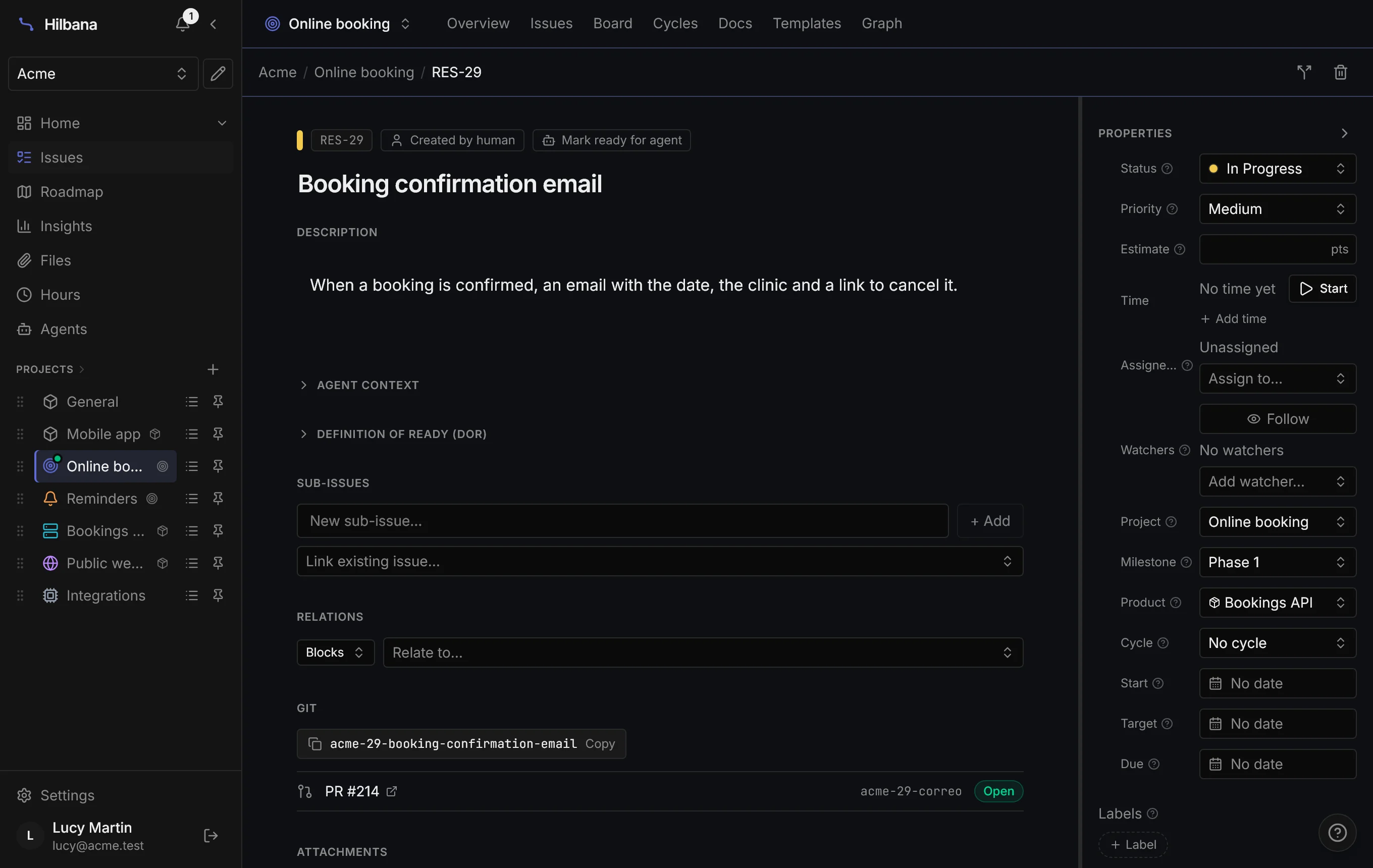
If the issue was already going to another product, it isn’t changed: a comment is left for someone to review it.
9. And the initiative, at a glance
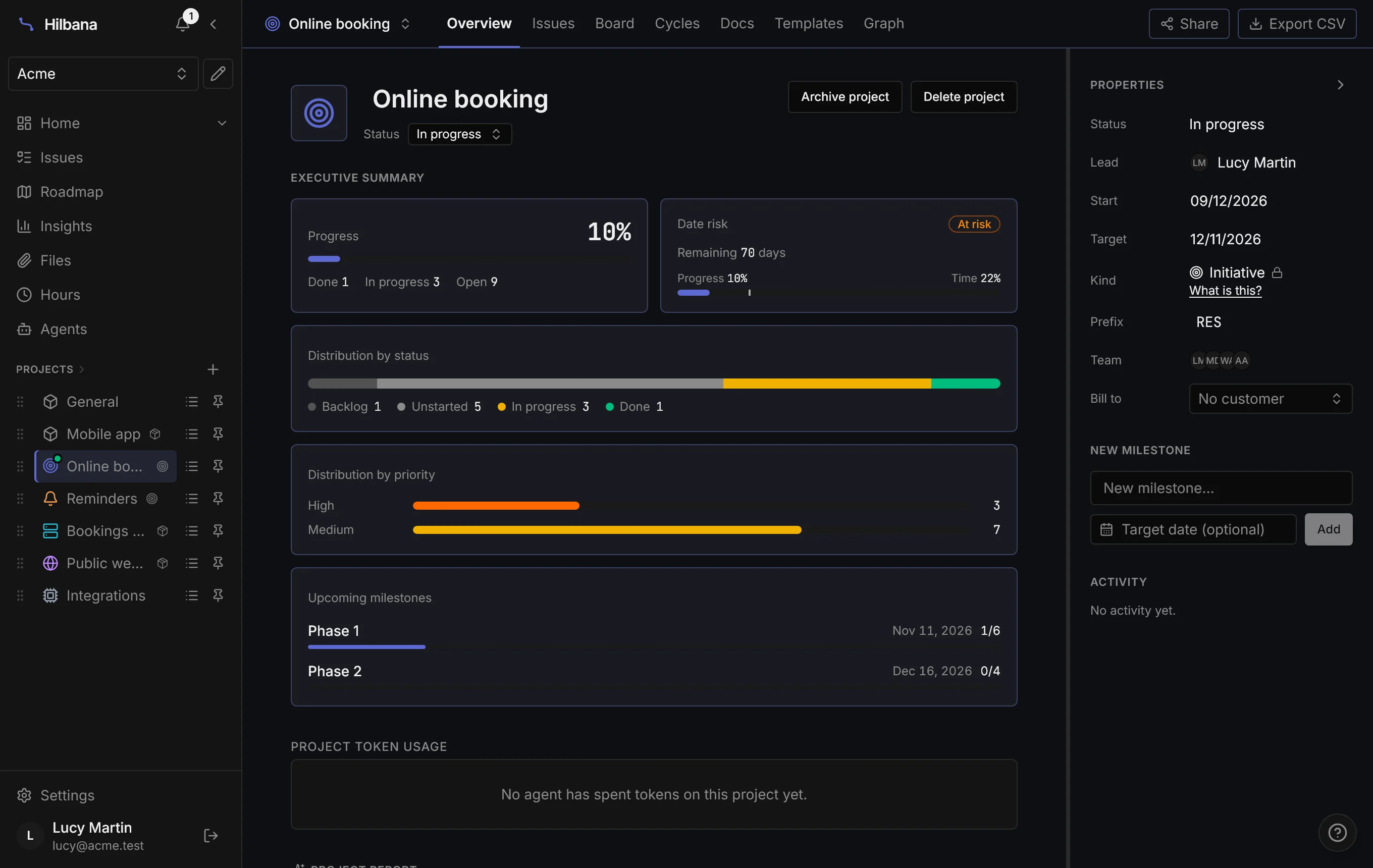
Back to the question we started with: how much is left on Online booking? It now has an answer in one place. The initiative’s overview adds up all its issues, wherever they’re built. Phase 1 is at 1 of 6, and with 70 days to go and 10% done, Hilbana flags it at risk.
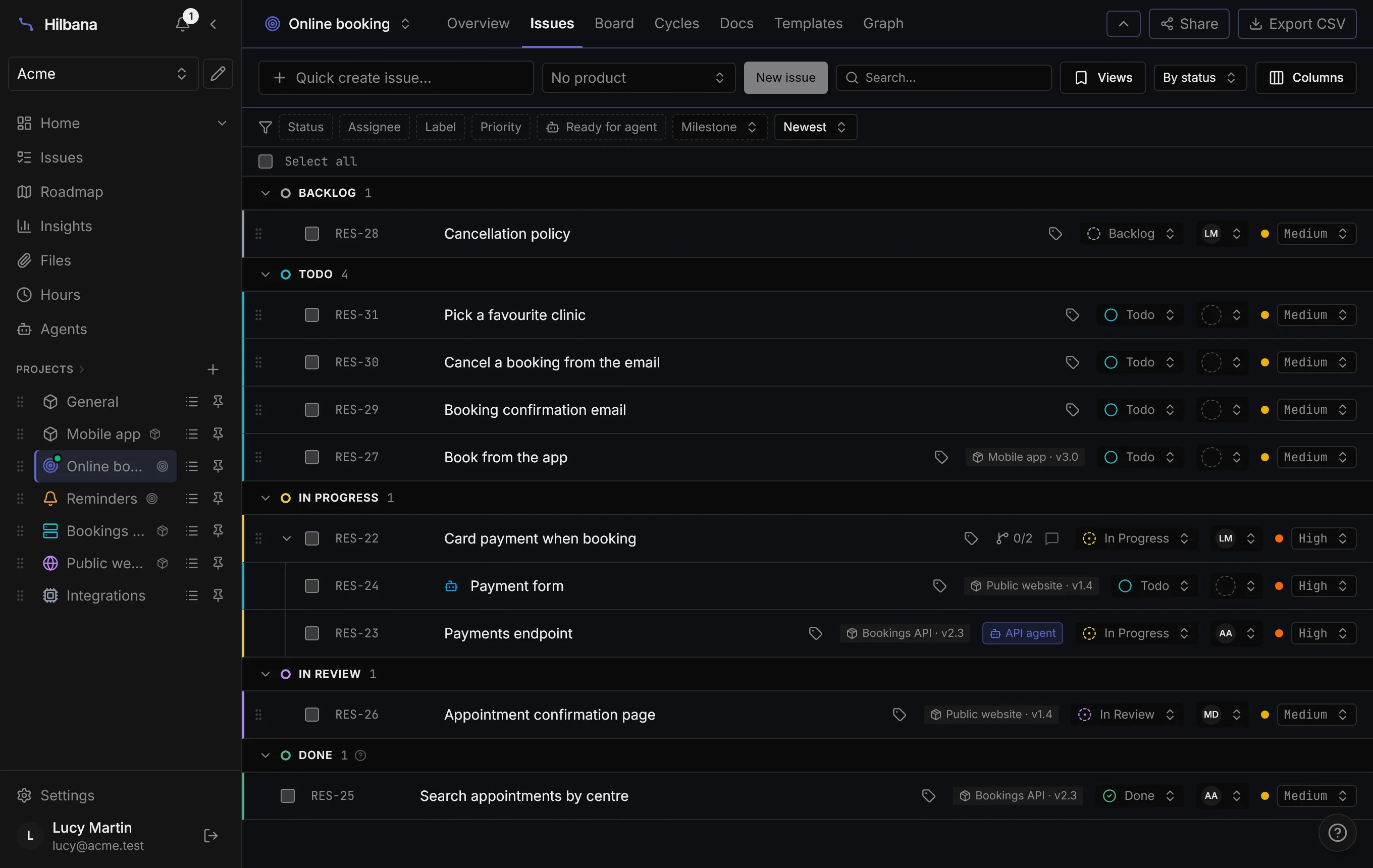
The initiative’s list shows the whole goal: API, website and app issues, and the ones that aren’t code too, like the cancellation policy. The Product column tells you which repository each one goes to and which version it lands in; the ones still undecided stand out right away. On the initiative’s board, every card carries the same tag.
In short
- Initiative for what ends; product for what doesn’t.
- The issue lives in the initiative and is delivered to a product, with its version. It counts in both places.
- One issue, one repository: if it touches two, split it.
- Blocks work across repositories, and agents respect them.
- Someone with only the product sees what reaches it, not the rest of the initiative.
- Declare the repositories and the PR delivers the issue by itself.
All the details, permissions and the MCP included, are in the initiatives and products documentation.
Create your free workspace at app.hilbana.com/signup and try splitting your next goal by repository.